Creating vs Consuming, Arctic RV, Making iPhone Apps on iPhone
Welcome to Top 5 Tech, my show about what to watch, listen to, read, download, and something
deep every week.
If you do listen on Apple or Spotify, I'd appreciate dropping a 5-star rating and review
if you could.
But number one, what to watch.
The YouTube algorithm actually hit it out of the park because it surfaced this video
on my homepage, Stop being an audience member of your own life.
This is from a channel I had never heard about before, oddly, but incredible production value
in the first minute of this video.
And then she goes into talking about screen time, how she feels about consuming more than
And getting over that hurdle of just making something, even if you're not good at it,
and how much better it is to make something rather than consume, I thought it was just
really good.
Love the video, and I'll be watching for her future videos.
So link to that down in the show notes, and of course, you can get this as a newsletter.
That link is also below.
I deliver all those links every Friday.
And on a bonus, what to watch.
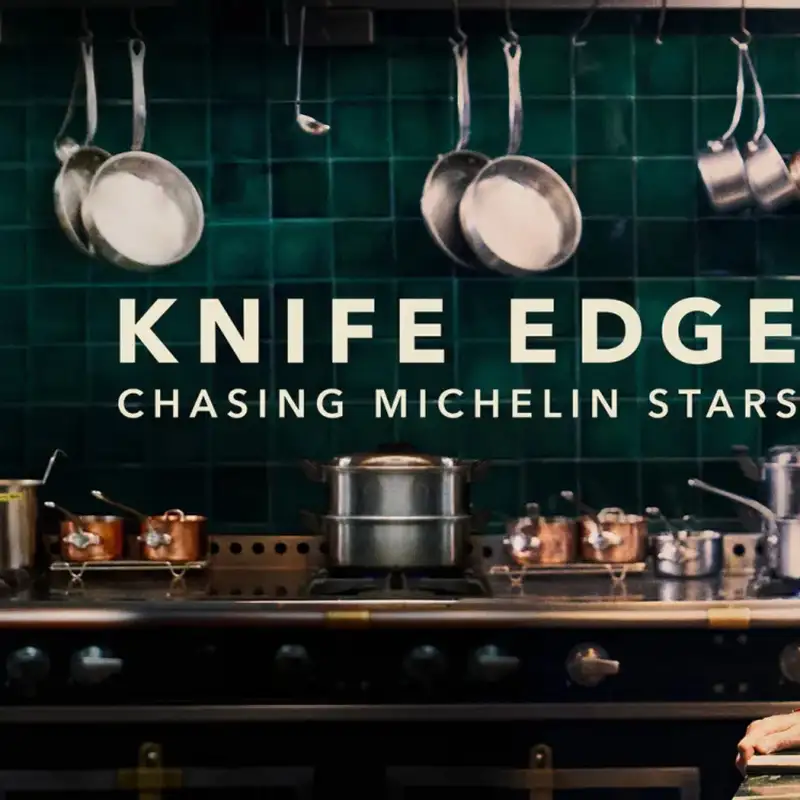
I really enjoyed Knife's Edge.
This is an Apple TV+ original show.
It's about restaurants seeking Michelin stars, either their first, their second, or even
their third.
to the first season and it was just renewed for a second
I'll put the link to that Apple TV Plus show down below as well.
On number two, what to listen to, I'm going to pull from the archive because I talked about
Antarctica last week in Cleo Abrams' video. I'm going to get her name right and be sure.
But there was actually a great episode of the Omnibus podcast.
This was back when Ken Jennings and John Roderick were both co-hosting it,
and they did a show about the Antarctic snow cruiser,
this boondoggle of a massive RV that they tried bringing down there.
And I remember really enjoying this episode. There's also a lot of great topics in this.
the Halifax explosion is a.
about a historic event I didn't know, but this one in particular, if you're into Antarctica,
check this out.
Number three, on what to read, I'm going to link this Mac Stories article down in the
show notes.
This is actually about an Apple Vision Pro mini documentary about Real Madrid, and I
watched it in Apple Vision Pro, really enjoyed it.
It's a short article, but it explains what makes things in Apple Vision Pro compelling,
and maybe why you should check it out.
Again, if you don't have a Vision Pro, maybe make an appointment at an Apple store, do
the trial, ask if you can watch something like this, but I really enjoyed watching it.
And Devin does a great job of breaking down what
makes it compelling. On number four, what to download, there's so many different
social media platforms. I've been trying to balance Threads, BlueSky, Mastodon, and
Indigo is a new app that actually combines two of those. So BlueSky and
Mastodon, which are both built on like Fediverse style properties, well the
Indigo app takes advantage of that. And if you're on both of those platforms, or
you just want to use it for one of them, it works great for that too, it actually
combines your timelines, syncs your timeline across all your Apple devices,
Let's you interact, post to both platforms, and the great
part is that there's a cross post. Like if you see a post of mine that maybe I put on BlueSky and
Mastodon, you'll only see it once. And then you'll actually see the little cross post section. You can
choose if you want to see the Mastodon version or the BlueSky version if it's slightly different.
And this has made managing social media and browsing my timeline much easier. It is free to
use. There's an in-app purchase for some of the pro features. But if you're on both of those platforms
and want to streamline your social media consumption/posting, Indigo is a great way to go.
Didn't mean to pun that, but yeah, pun intended, I guess.
So Google I/O was earlier this week and there was a ton of all the AIs, everything.
They just put AI in everything and it can be wearing and maybe a little tiring to hear about.
But one aspect I wanted to point out was that Google AI Studio,
which is Google's way of letting you vibe code Android apps,
they actually announced that it's coming to Android as an app.
So pretty soon you'll be able to vibe code an Android app on an Android device.
And this is something that is still missing from the Apple ecosystem.
You can't develop or make or do any of that stuff for an iPhone app on an iPhone.
You have to build it in Xcode on a Mac and then move it over to the iPhone or install it or whatever.
This would be awesome if maybe we'll see a dub dub this year,
but the ability to actually start maybe test vibe code using Apple Intelligence
and some of the LLMs built in to make an app for the iPhone starting on the iPhone.
That would be pretty wild.
And if you're still unsure about vibe coding and making apps with AI, a little bonus pick.
I highly recommend listening to this episode of The Talk.
I'm your host, Adam Lissagore, who has been a guest on two of my podcasts,
Movies on the Side and Primary Technology.
But he talks about vibe coding the app Hovercraft,
which I actually featured a couple of episodes ago on this show
and his approach to using AI as a vibe coder, but to more direct the process,
how important taste is and why AI can't replace that just yet.
I think it'll really help shape a mindset about vibe coding
and what the future of AI and building apps could be.
And what really the most exciting thing is you might want to build an app
and you don't have to ship it or publish it anywhere.
Jason Aitzen, he built Contextly because he wanted a notes app
that did a very specific thing.
It turns out other people wanted that, too, and people are downloading and using it.
But I think the future of personal apps, which kind of what shortcuts is, too.
I mean, I built so many shortcuts that are express purpose for my needs.
Other people might not find value in it, but for my workflow,
it really helps me be productive and do things faster.
Well, imagine if you could do that for entire apps,
Maybe even entire operating systems and platforms one day.
little bit head in the clouds, but 10 years from now, I imagine AI could write an entire
operating system in not very long. And so I think the possibilities of having a very personalized
custom to you tailored to how you want to and need to use an app, a product or service. And I think
that's one of the best promises AI can make right now. So I encourage you to listen to this episode.
You can also learn about all the things from the Google I/O on the latest episode of primary
technology that came out yesterday. And again, I'd appreciate a five star rating and review in
the comments if you're listening and watching it there. Or you can get the newsletter delivered
every Friday. The link is in the show notes to subscribe. Thanks so much for watching and
listening. I'll catch you next time. Transcribed by https://otter.ai